 United States
How to Read Your Vape Screen: Watts, Ohms, Volts & Indicators
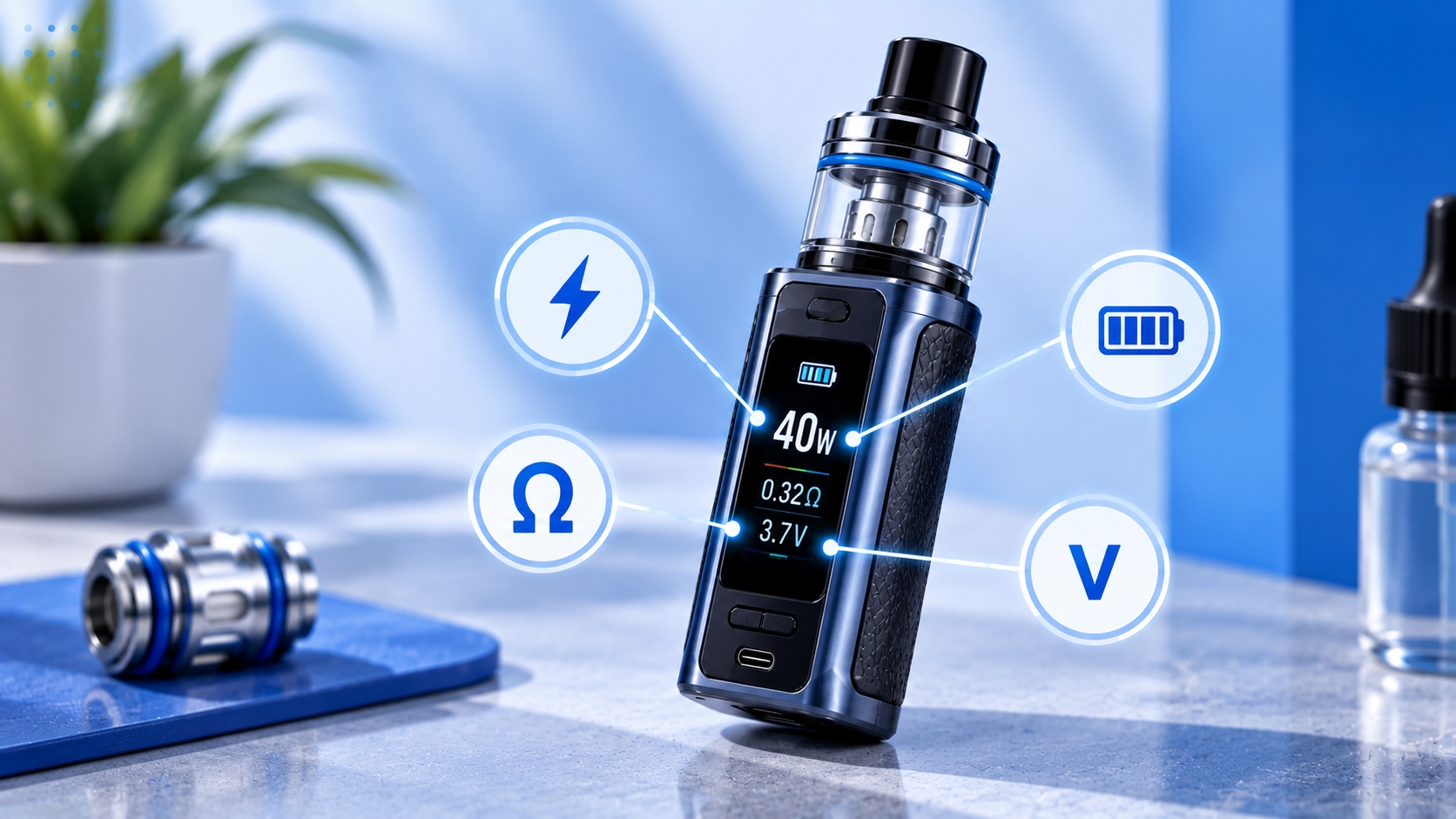
Note: Vape screen layouts, readings, and operating modes vary by manufacturer and model. This article explains general display information, not model-specific setup instructions. Always follow the manufacturer's specifications for your device and installed coil.
A vape screen can display several electrical readings and operating settings at once. Depending on the device, you may see watts, ohms, volts, battery percentage, puff count, activation time, and the currently selected operating mode.
These values do not all represent the same thing. Some describe settings you can adjust, while others show measurements or information calculated by the device's control system.
This guide explains how to read common vape screen values, what each measurement represents, and why the displayed information may change during normal operation.
How Do You Read a Vape Screen?
Start by identifying the units and labels shown on the display. On a regulated device, these commonly include W for watts, Ω for ohms, and V for volts.
Other indicators may show battery charge, puff statistics, operating mode, or control-lock status. The location of each value depends on the screen design.
Not every displayed number is adjustable. Some readings are generated automatically from the installed hardware and current operating conditions.
What Does W Mean on a Vape Screen?
W stands for watts, the unit used to measure electrical power. On devices with adjustable wattage, the number generally represents the selected power setting.
For example, a screen showing 25W may indicate that the device is set to deliver 25 watts during activation, subject to its supported operating limits and control behavior.
The correct wattage depends on the installed coil and the manufacturer's recommended range. A device's maximum available wattage is not automatically suitable for every compatible coil.
Vape.com's vape coil guide explains how coil specifications relate to recommended operating settings.
What Does Ω Mean on a Vape Screen?
The omega symbol, Ω, represents electrical resistance measured in ohms. Many regulated devices display the detected resistance of the installed coil or atomizer.
For example, a display of 0.8Ω indicates a resistance reading of approximately 0.8 ohms. The value may differ slightly from the nominal rating printed on the coil.
Resistance is relevant to electrical operation and compatibility, but it should not be used alone to determine a suitable power setting.
The relationship between resistance, voltage, current, and power is explained further in Vape.com's Ohm's Law article.
What Does V Mean on a Vape Screen?
V represents voltage, measured in volts. Depending on the device and operating mode, the display may show a selected voltage setting, a calculated output value, or another voltage-related reading.
Voltage, resistance, and power are electrically related, but the way a regulated device displays and controls them depends on its chipset and operating mode.
A voltage reading should therefore be interpreted using the manufacturer's documentation rather than assuming every device measures or displays voltage in the same way.
How Watts, Ohms, and Volts Relate to Each Other
These three measurements describe different aspects of an electrical circuit. Watts measure power, ohms measure resistance, and volts measure electrical potential difference.
In a simplified resistive circuit, the relationship between power, voltage, and resistance can be expressed as P = V²/R. Actual device operation may involve electronic regulation and changing conditions, so this equation should not be treated as a universal description of every displayed reading.
You do not need to manually calculate these values just to understand the screen. The important distinction is whether a number represents a selected setting, a measured value, or information calculated by the device.
How to Read the Battery Indicator
Battery information may appear as an icon, percentage, segmented graphic, or separate readings for multiple batteries.
The displayed charge level is an estimate generated by the device's monitoring system. It should not be interpreted as an exact prediction of remaining runtime.
Some devices change the battery display while charging or show an animation when external power is connected. These behaviors are model-specific.
Battery condition and charging precautions are separate topics covered in Vape.com's battery safety article.
What Does the Puff Counter Show?
A puff counter records the number of activations or draws recognized by the device's software. It may appear as PUFF, P, a numerical total, or another manufacturer-specific label.
The counter does not directly measure e-liquid consumption, nicotine intake, or remaining coil lifespan. Different activations may vary in duration and power.
Some devices allow the counter to be reset, while others manage the total automatically. Refer to the manual for the exact behavior.
What Does the Puff Timer Mean?
Some vape screens display an activation timer, often measured in seconds. For example, 2.4s may indicate that the previous activation lasted approximately 2.4 seconds.
This is different from the total puff counter. The timer measures duration, while the counter records recognized activations.
An informational puff timer should also be distinguished from a programmed firing cutoff that limits activation duration.
How to Read Operating Mode Labels
Some regulated devices display the currently selected operating mode. These labels may describe how the device manages output or which settings are available.
| Mode Label | General Description |
|---|---|
| VW / Power | Variable-wattage operation |
| VV | Variable-voltage operation |
| TC | Temperature-control operation on supported hardware |
| Smart | Manufacturer-defined automated setting or power-management feature |
| Bypass | Manufacturer-defined output behavior that differs from conventional adjustable wattage |
| Pulse / Boost | Manufacturer-specific power-delivery feature |
Mode names do not guarantee identical operation across manufacturers. Check the official documentation before changing an unfamiliar setting.
What Does the Lock Indicator Mean?
A padlock icon generally indicates that selected controls are locked. Depending on the model, this may restrict adjustment buttons, firing, or other functions.
The icon alone does not establish which controls are disabled. Follow the manufacturer's lock and unlock instructions for the exact device.
Why Do Some Screen Readings Change During Use?
Not every change in a displayed value indicates a malfunction. Some devices update voltage readings during activation, recalculate battery estimates, or display resistance measurements that differ slightly from the nominal coil rating.
However, large or unexpected resistance changes, persistent fault messages, or abnormal device behavior should not be dismissed as ordinary display variation.
The device's specifications and troubleshooting documentation determine whether a particular reading is expected.
Quick Reference: Common Vape Screen Readings
| Display | Represents | Type of Information |
|---|---|---|
| W | Watts | Power setting or reading |
| Ω | Ohms | Detected resistance |
| V | Volts | Voltage setting or reading |
| Battery icon | Battery charge | Estimated battery status |
| PUFF | Activation count | Usage statistic |
| s | Seconds | Activation duration |
| Mode label | Operating mode | Selected device function |
| Padlock | Control lock | Control status |
What If the Screen Displays an Error Message?
Some devices display messages related to coil detection, battery status, temperature, or electrical protection. These are different from ordinary numerical readings.
For example, NO ATOMIZER may indicate a coil-detection issue, while other messages may relate to resistance or charging conditions. The exact interpretation depends on the model.
Vape.com's No Atomizer article covers that particular warning separately. Stop using the device if the manufacturer identifies a serious electrical or battery fault.
Final Thoughts
Reading a vape screen becomes easier when you distinguish between electrical measurements, adjustable settings, and informational indicators.
Watts describe power, ohms describe resistance, and volts describe electrical potential difference. Battery indicators, puff counters, timers, and operating mode labels provide additional information about the device.
Use the official manual to confirm which readings are adjustable and what each displayed value means for your specific model.
Sources & Further Reading
- Vaporesso — GEN 200 / GEN 80 S User Manual
- Vaporesso — Device FAQ and Troubleshooting
- U.S. FDA — Vape Battery Safety
Safety reminder: Do not treat a general screen-reading explanation as permission to exceed manufacturer specifications. If the device displays a persistent protection warning, becomes unusually hot, or behaves abnormally, stop using it and follow the manufacturer's instructions.