 United States
Vape LED Indicator Meanings: Colors, Patterns, and Device Signals
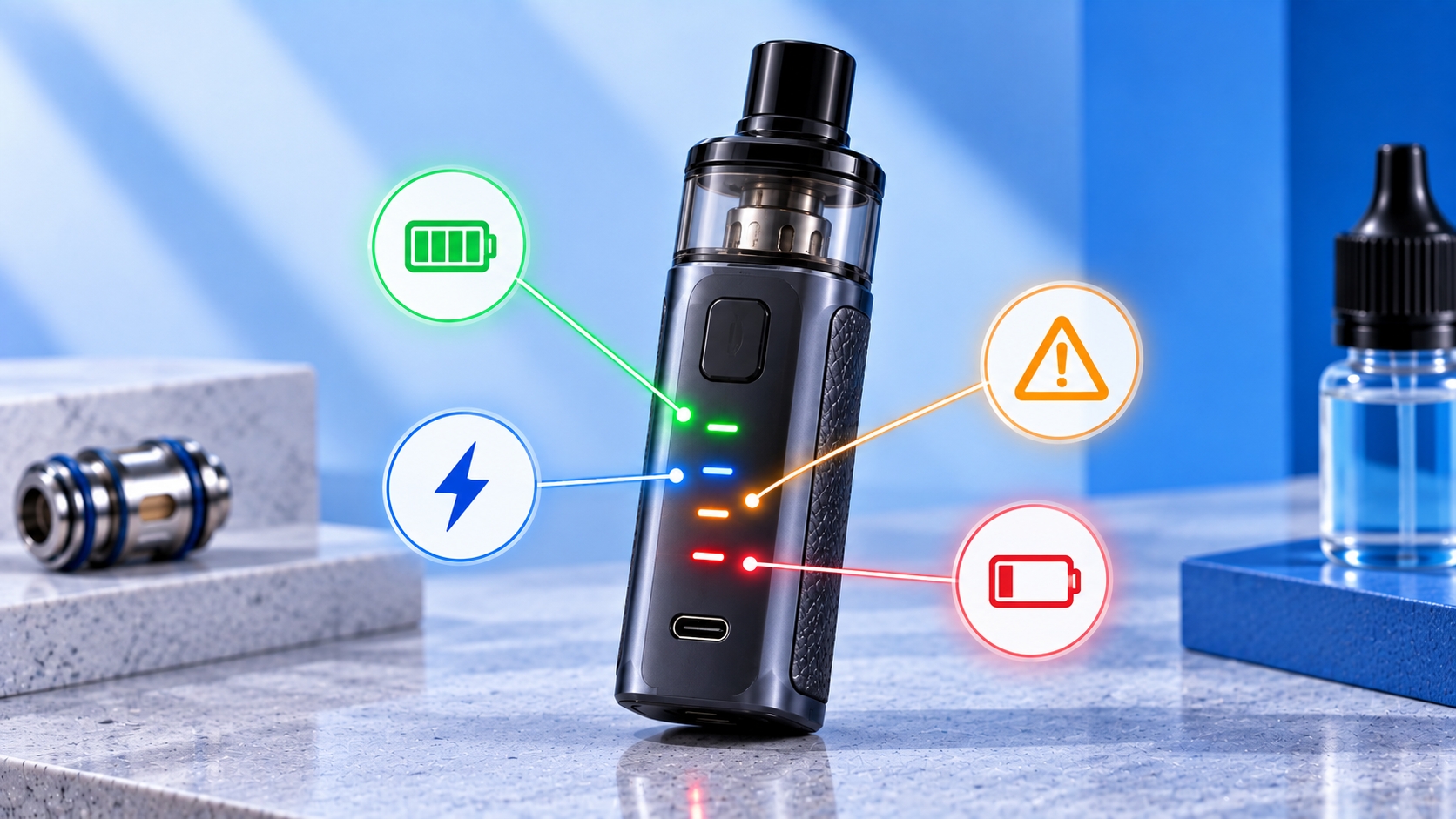
Note: Vape LED colors, flash counts, and lighting patterns are manufacturer-specific. No universal color chart applies to every device. Use the official manual for the exact model when interpreting an indicator.
Vape LED indicators provide visual information about device operation, battery status, charging, and certain protection events. Depending on the model, these signals may appear as solid colors, repeated flashes, brief pulses, or changing light patterns.
Although LED indicators are common on compact vape devices, their meanings vary between manufacturers and product lines. This guide explains the types of signals you may encounter, how indicator patterns are organized, and how to interpret them using official device specifications.
What Are Vape LED Indicators?
Vape LED indicators are small lights controlled by a device's electronic system. They communicate selected operating conditions without requiring a full display screen.
Depending on the design, an LED may indicate remaining battery level, charging status, activation, operating mode, or a protection event. Some devices use a single light, while others use multiple LEDs or an illuminated display element.
What Do Different Vape LED Colors Mean?
Manufacturers may assign colors such as green, blue, red, white, or yellow to different device states. However, the color itself does not establish a universal meaning.
| Indicator Color | Possible Use | Important Limitation |
|---|---|---|
| Green | Battery status or charging indication | May represent different charge ranges by model |
| Blue | Battery status, activation, or mode indication | Not a universal medium-battery signal |
| Red | Battery status or device warning | Does not always indicate a fault |
| White | Activation or operating status | Meaning depends on the device |
| Yellow | Battery, mode, or status indication | Must be checked against the official manual |
A device may use multiple colors to show battery ranges, but the percentage thresholds and color order are not standardized across the industry.
Solid Light vs. Blinking Light vs. Pulsing Light
Indicator behavior can provide information beyond color alone. Manufacturers may distinguish operating states through the duration, repetition, or timing of illumination.
| Light Pattern | How It Appears | Possible Purpose |
|---|---|---|
| Solid | Remains illuminated for a period | Charging, activation, or operating status |
| Blinking | Turns on and off repeatedly | Status notification or protection event |
| Pulsing | Gradually changes brightness | Charging or standby indication |
| Brief flash | Illuminates momentarily | Activation confirmation or status feedback |
These are descriptions of possible signal categories, not a diagnostic chart for a particular device.
How Vape Devices Use LEDs for Battery Status
On some devices, an LED changes color according to the estimated remaining battery charge. Others use a sequence of flashes or multiple illuminated segments.
The displayed level is an estimate generated by the device's battery-monitoring system. The exact thresholds and update behavior depend on the manufacturer.
Charging Indicators and Their Meanings
Charging indicators may remain illuminated, pulse, blink, or change color as charging progresses. Some models turn the light off when charging finishes, while others display a separate completion signal.
An illuminated charging indicator does not establish whether the device supports operation while connected to power. Pass-through charging is a separate device specification.
How Chipsets Control LED Signals
In electronically regulated devices, the control system determines when an indicator is activated and which signal pattern is displayed. It may respond to battery readings, activation inputs, charging events, and supported protection conditions.
The device chipset can coordinate these functions, but the specific LED behavior depends on the manufacturer's firmware and hardware configuration.
Why the Same LED Color Can Mean Different Things
LED meanings are defined by the device manufacturer rather than a universal vaping standard. A red light may communicate a battery level on one device and a protection warning on another.
Even products from the same manufacturer may use different flash sequences or battery thresholds. Model-specific documentation is therefore more reliable than a generic color chart.
How to Find the Correct LED Indicator Chart
Identify the device's full model name and, where relevant, its hardware version. Open the official user manual or manufacturer support page and locate the LED indicator, battery status, or troubleshooting section.
Match the complete signal, including color, number of flashes, timing, and the activity occurring when it appears. Avoid interpreting a light based on color alone.
LED Indicators vs. Vape Screen Symbols
LED indicators generally communicate information through lights and flash patterns, while screen-equipped devices may show battery icons, wattage, operating modes, or error messages.
Both systems provide device feedback, but they present information differently. A screen symbol may identify a particular condition more explicitly than a single LED color.
When an LED Signal Indicates a Possible Fault
Some manufacturers use specific flash patterns for low voltage, coil detection problems, short-circuit protection, or temperature warnings. These patterns are not standardized.
If the official manual identifies a signal as an electrical or battery fault, stop attempting activation and follow the manufacturer's instructions. For general charging precautions, refer to battery safety guidance.
Final Thoughts
Vape LED indicators communicate information through colors, illumination patterns, and timing. Their meanings depend on the manufacturer's chosen hardware and firmware behavior.
Rather than assuming that a particular color or number of flashes has the same meaning on every device, identify the exact model and use its official indicator chart.
Sources & Further Reading
Safety note: An LED pattern alone cannot confirm the cause of a malfunction without model-specific documentation. Stop using or charging a device that shows signs of overheating, battery damage, or an electrical fault.