 United States
What Do the Lights on a Vape Mean? LED Indicators Explained
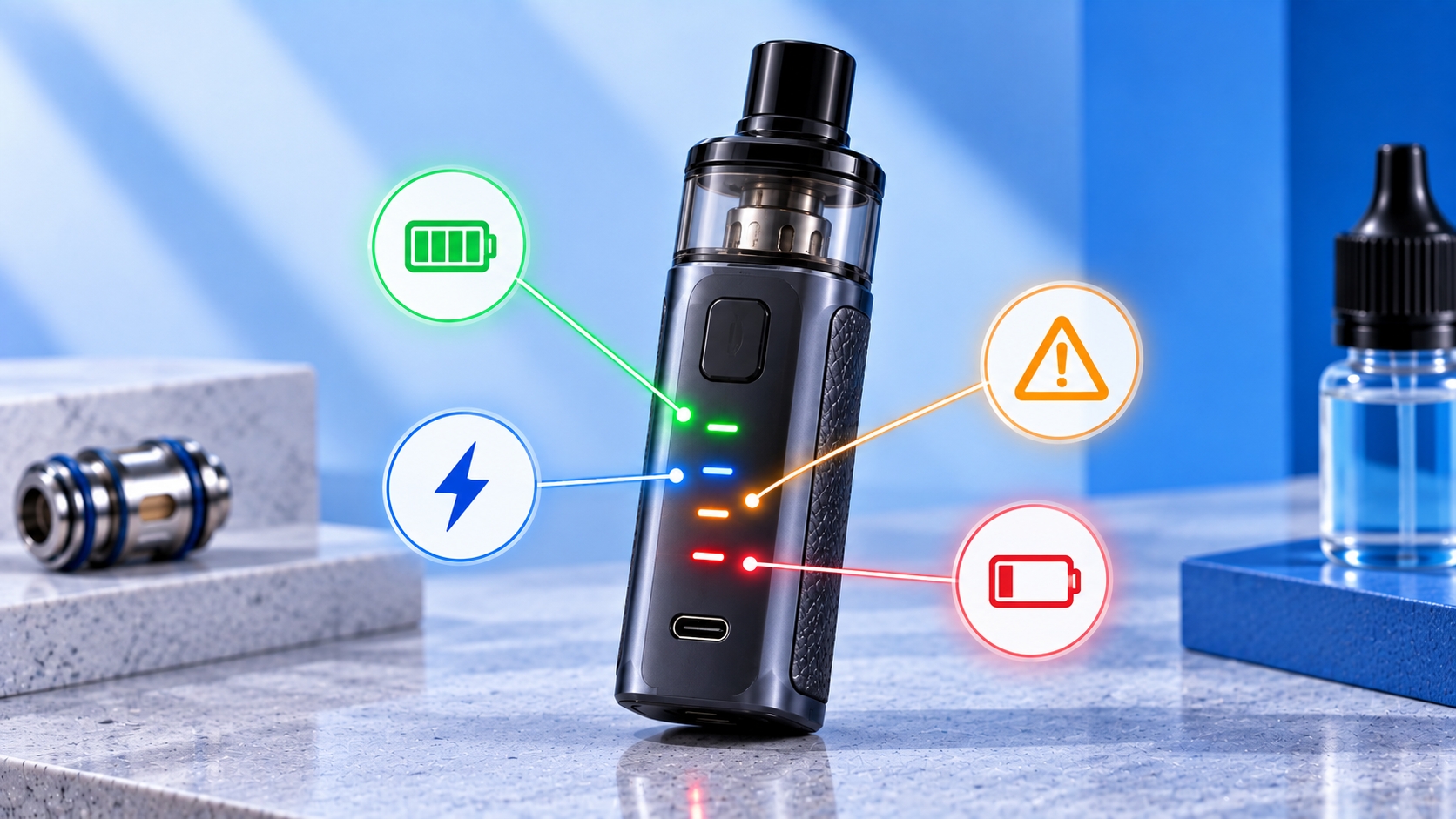
This guide is intended for adult users of legal purchasing age. Vape LED colors, flashing patterns, and indicator meanings vary by manufacturer and model. Always use the manual for your exact device to confirm what a specific light or pattern means.
A vape doesn't necessarily need a screen to communicate with you. Many pod systems, pen-style devices, and compact vape devices use small LED lights to show battery status, activation, charging progress, device modes, or conditions that require attention.
The confusing part is that there is no universal color code. A green light on one device may indicate a high battery level, while another manufacturer may use the same color for a power setting or operating mode.
Instead of memorizing colors alone, it helps to understand the common types of information an LED can communicate and then compare the light pattern with the instructions for your exact device.
What Is the LED Light on a Vape For?
An LED indicator is a simple way for a device to communicate its current status without requiring a full display screen. This type of indicator is especially common across compact devices and starter kits that use simplified controls.
Depending on the model, an LED may indicate:
- Device activation
- Approximate battery level
- Charging status
- Selected power or operating mode
- Device lock status
- Coil or pod detection
- Activation cutoff
- A device-specific warning or protection state
The same physical LED can sometimes communicate several of these functions using different colors, durations, or flashing patterns.
What Do Different Vape Light Colors Mean?
Many devices use colors such as green, blue, white, yellow, or red to distinguish different states. However, the meaning assigned to each color is determined by the manufacturer.
For example, a manufacturer may use several colors to represent different battery ranges. Another device may use those same colors to distinguish power settings instead.
That means statements such as “green always means fully charged” or “red always means there is a problem” are too broad to apply to every vape.
Green Vape Light
A green LED is commonly used by some manufacturers to represent a higher battery range, completed charging, or a particular operating level.
It should not automatically be interpreted as “everything is normal” because green may have a completely different function on another device.
Pay attention to when the light appears. A green light during charging may communicate something different from a green light that appears while adjusting the device.
Blue Vape Light
A blue LED may represent an intermediate battery range, a selected power level, normal activation, or another manufacturer-defined status.
If your device changes between several colors when you press a button or perform a control sequence, those colors may represent adjustable settings rather than battery level.
White Vape Light
Some devices use a white LED simply to confirm activation. Others may use white as one level in a battery or power indicator system.
A steady white light during a draw can therefore have a different meaning from a white light that flashes after activation.
Yellow or Orange Vape Light
A yellow or orange LED may be used as an intermediate battery or power indicator on devices that use several color levels.
As with other colors, the context matters. Check whether the light appears during use, charging, setting adjustment, or after the device detects a particular condition.
Red Vape Light
A red LED is commonly associated with a lower battery range, charging state, or device warning on some models.
But red does not universally mean that a vape is damaged. If the light appears while charging, for example, it may simply be part of the manufacturer's normal charging indicator sequence.
The number of flashes and the action that caused the light to appear can be just as important as the color itself.
Solid Light vs. Flashing Light: Why the Pattern Matters
LED indicators communicate through patterns as well as colors. A solid light, a slow pulse, and several rapid flashes may each represent different device states even when the LED color is identical.
When trying to interpret an indicator, note:
- The color of the light
- Whether it is solid or flashing
- Approximately how many times it flashes
- Whether the flashes are fast or slow
- What you were doing when the light appeared
Those details make it much easier to match the indicator with the explanation provided in the device manual.
Why Does My Vape Light Up When I Take a Puff?
On many devices, an LED illuminates during activation to show that the device has recognized the draw or firing input.
This is particularly common on draw-activated devices without screens, where the light provides immediate visual feedback that the device has activated.
Depending on the model, the same activation light may also change color according to battery level or the selected operating setting.
What Does the Vape Light Mean While Charging?
LEDs are also commonly used to communicate charging progress on devices without detailed screens. Depending on the manufacturer's design, the light may remain illuminated, pulse, change color, or switch off when a particular charging state is reached.
Charging indicators are only one part of understanding the battery system. Proper charging equipment, battery condition, storage, and handling are also important parts of battery safety, especially when interpreting unusual charging behavior.
Do not assume that an LED turning off always means the same thing across devices. The charging instructions for the exact model should determine how its normal indicator sequence is interpreted.
What Does a Flashing Vape Light Mean?
A flashing LED is often the device's way of communicating a change in status or a condition that requires attention.
Depending on the model, flashing may relate to:
- Low battery
- Activation cutoff
- Pod or coil detection
- Resistance outside the supported range
- A short-circuit protection state
- Temperature protection
- Locking or unlocking the device
- Changing an operating setting
This list describes common categories, not universal flash codes. The exact number and pattern of flashes should be checked against the manufacturer documentation for your device.
Why Does My Vape Blink and Not Fire?
If the LED flashes instead of the device operating normally, the light may be identifying a condition detected by the device rather than simply indicating battery level.
For example, interrupted electrical contact between the device and heating element can produce an atomizer detection error on compatible devices, while other flashing patterns may represent low battery, cutoff, resistance, or temperature-related protection states.
The color and flash count should be matched to the exact model rather than using a code from another device, even if both products come from the same manufacturer.
Can Vape Lights Show Different Power Levels?
Yes. Some screenless devices use different LED colors to represent selectable power or output levels.
For example, cycling through settings may cause the LED to change color, with each color representing a manufacturer-defined operating level.
Because there is no universal color-to-power standard, do not assume that green is always the highest setting or that red is always the lowest. Confirm the sequence in the manual before changing settings.
Quick Guide to Common Vape LED Indicators
| LED Behavior | What It May Indicate | What to Check |
|---|---|---|
| Light during a puff | Device activation or battery status | Normal activation behavior in the manual |
| Color changes during use | Battery range or operating level | Manufacturer's color chart |
| Light while charging | Charging status or progress | Device charging instructions |
| Repeated flashes | Warning, protection state, or setting change | Color, number of flashes, and manual |
| Light changes after button presses | Mode, power setting, lock, or another control | Device control instructions |
How to Identify What Your Vape Light Actually Means
If you're unsure about an LED indicator, use the device itself to narrow down what you're seeing before assigning a generic meaning to the color.
- Identify the exact device model. Similar models can use different indicator systems.
- Note the LED color. Record whether it is red, green, blue, white, or another color.
- Watch the pattern. Determine whether the light is solid, pulsing, or flashing.
- Count the flashes when possible. Some devices use different flash counts for different conditions.
- Note when it happens. Charging, firing, inserting a pod, or pressing controls can change the meaning.
- Compare it with the manufacturer manual. Use the LED, indicator, protection, or troubleshooting section for your exact model.
Exact model identification matters beyond interpreting LEDs because devices within the same product family can also use different pods, coils, settings, and replacement components. Matching the full model name is therefore an important part of hardware compatibility.
LED Indicators vs. Vape Screens
LED indicators and display screens perform similar communication roles but provide different levels of detail.
A screen can display numerical information such as wattage, resistance, voltage, battery percentage, and puff data, while a simple LED often communicates device status through colors or flashing patterns. Those numerical vape screen indicators provide more detailed information than a basic status light.
Neither approach is universal, however. Manufacturers determine which information appears and how the device communicates it.
Bottom Line
Vape lights can communicate battery level, charging progress, activation, operating settings, lock status, and device warnings—but the color alone usually isn't enough to determine the meaning.
Pay attention to the complete indicator: its color, whether it stays solid or flashes, how many times it flashes, and what the device was doing when the light appeared.
Most importantly, match that behavior with the instructions for your exact device. LED codes are manufacturer-specific, so a light pattern from one vape should not automatically be applied to another.
LED colors and flashing patterns are not standardized across vape devices. If an unfamiliar light appears—especially when the device does not operate normally—stop and check the current manufacturer instructions for your exact model before continuing to use or charge it.